Project oversight, without the fog

Stop chasing updates. Start seeing the project.

TinKan gives funded, distributed teams one clear, permission-aware view of work, ownership and progress—without turning everyone into a full-time software administrator.

Built for: multi-partner, funded projects Designed for: accountability without bureaucracy
Live project view Role-aware access Change history Structured reporting Your data, under your control
The familiar failure

Good work disappears between meetings.

The board says “on track.” The project manager knows otherwise. Updates sit in email, decisions in calls, evidence in individual folders and nobody has a reliable, current picture.

01 / Fragmented

Status is gathered, not visible.

Every report becomes a mini-investigation across spreadsheets, messages and meetings.

02 / Unclear

Ownership blurs at the edges.

When work crosses partners and teams, the next action and responsible person become guesswork.

03 / Unprovable

History evaporates.

By the time someone asks what changed, why it changed and who approved it, the trail has gone cold.

One project. A visible signal.

Kanban is the interface. Oversight is the point.

TinKan brings day-to-day delivery, project structure and a dependable history into one calm operating view. It is built for the reality of projects that span organisations, workstreams and reporting deadlines.
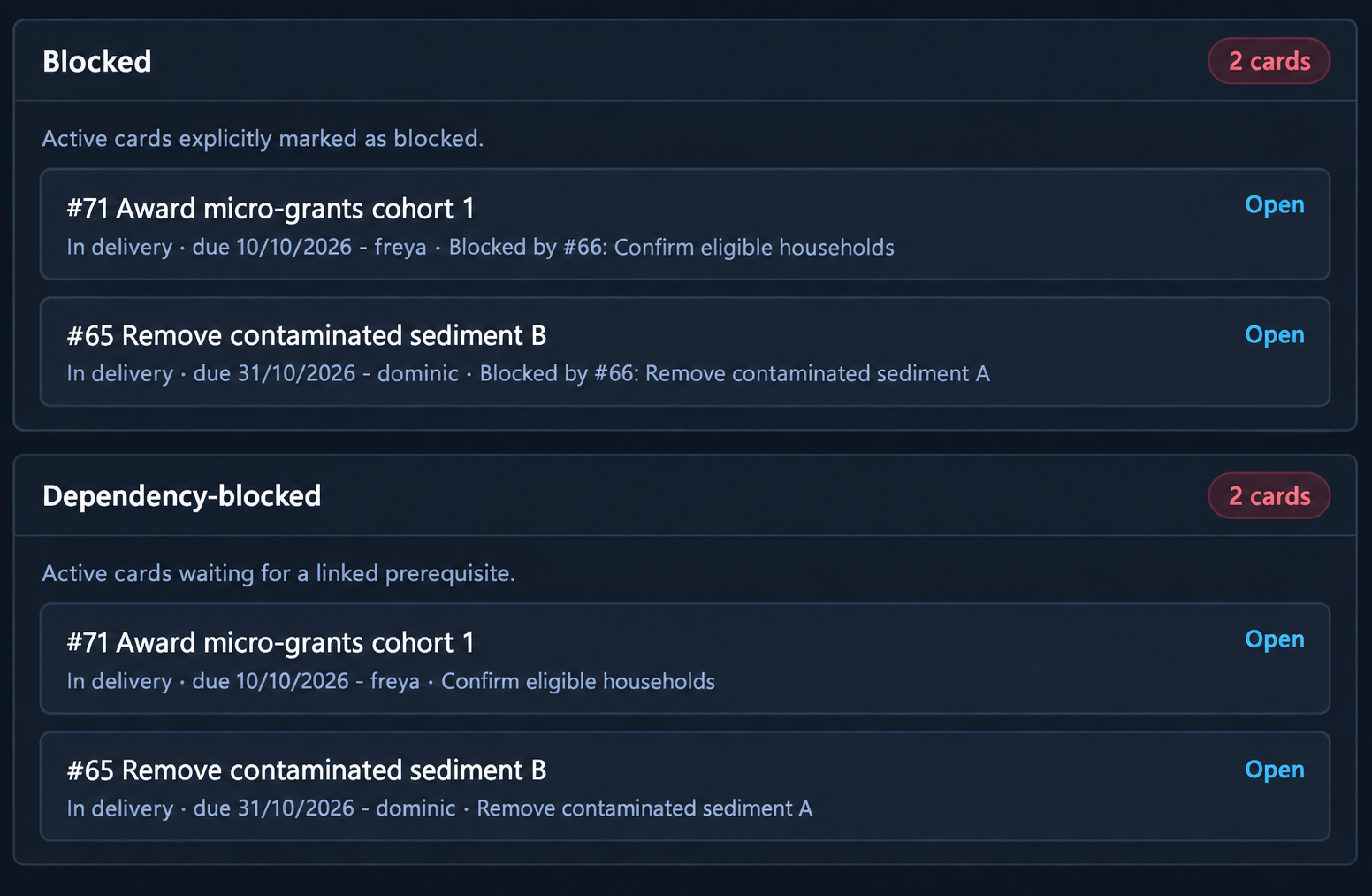
  • See what needs attention Surface blocked, late and unowned work before it becomes a reporting surprise.
  • Keep the right data with the right people Project managers, team leaders and members work from roles designed for their responsibilities.
  • Leave a usable trail Changes and reassignment are recorded, so a project can explain itself later.
TinKan view showing blocked and dependency-blocked cards
Built around real roles

One project view. Different responsibilities.

TinKan does not assume that a project manager, team leader and member need the same controls—or should see the same information.

For project managers

See the whole project.

  • Spot risks and stalled work
  • Coordinate across teams
  • Prepare reports from current evidence
Explore PM view →
For team leaders

Keep delivery moving.

  • Manage work within your team
  • Assign and reassign clearly
  • Escalate issues early
Explore TL view →
For members

Know what matters now.

  • See your current work
  • Update without navigating a maze
  • Contribute evidence and context
Explore member view →
“The useful project dashboard is not a prettier report. It is a shared view of reality before the report is due.”
Founding project programme

Put TinKan through a real project—not a polite demo.